Weniger Bürokram. Mehr Handwerk.
Lumio, dein KI-Agent, erledigt den Rest.
Er beantwortet E-Mails, erstellt Angebote und pflegt Projekte – automatisch, per Sprache oder Chat. Dazu kommen vorgefertigte KI-Agenten, oder du arbeitest klassisch per Klick.
Thincify ist die Plattform. Projekte, GAEB, Rechnungen, Lager, Plantafel, Dokumente – alles an einem Ort. Lumio ist der KI-Agent, der sie für dich bedient.
DSGVO-konform · Made in Germany · 7 Tage testen, monatlich kündbar
Das ist Thincify. Klick dich durch.
Ein echter Blick in die Oberfläche – mit Beispieldaten. Dieselbe Ruhe und Ordnung findest du später in deinem Betrieb wieder.
Interaktive Demo – einfach klickenUnd dahinter: die ganze Plattform.
Weniger Bürokram. Mehr Handwerk.
Lumio erledigt den Rest.
Lumio übernimmt die Verwaltung – Angebote, Rechnungen, E-Mails, Zeiterfassung. Du konzentrierst dich aufs Handwerk.
8 Stunden Bürokram weniger
Lumio automatisiert Angebote, Rechnungen und Kundenkommunikation. Du gewinnst jede Woche fast einen ganzen Arbeitstag zurück.
Lumio kennt jeden Vorgang
Frag Lumio nach jedem Kunden, Projekt oder Dokument – er findet es sofort und kennt den gesamten Kontext.
Tag und Nacht im Einsatz
Lumio ist rund um die Uhr verfügbar. Auf der Baustelle per Sprache, im Büro per Chat – immer einsatzbereit.

Gebaut für Menschen, die bauen.
Weniger Abende am Schreibtisch, mehr Zeit fürs Handwerk – Thincify räumt das Büro auf, Lumio erledigt den Papierkram.
Ein Assistent. Alles erledigt.
Lumio übernimmt den kompletten Bürobetrieb – von Angeboten über Projektmanagement bis zur E-Mail-Verarbeitung.
Lumio schreibt Rechnungen
Rechnungen in Sekunden
Sag Lumio, welches Projekt abgeschlossen ist – er erstellt die Rechnung automatisch aus Projektdaten, Zeiteinträgen und Materialien.
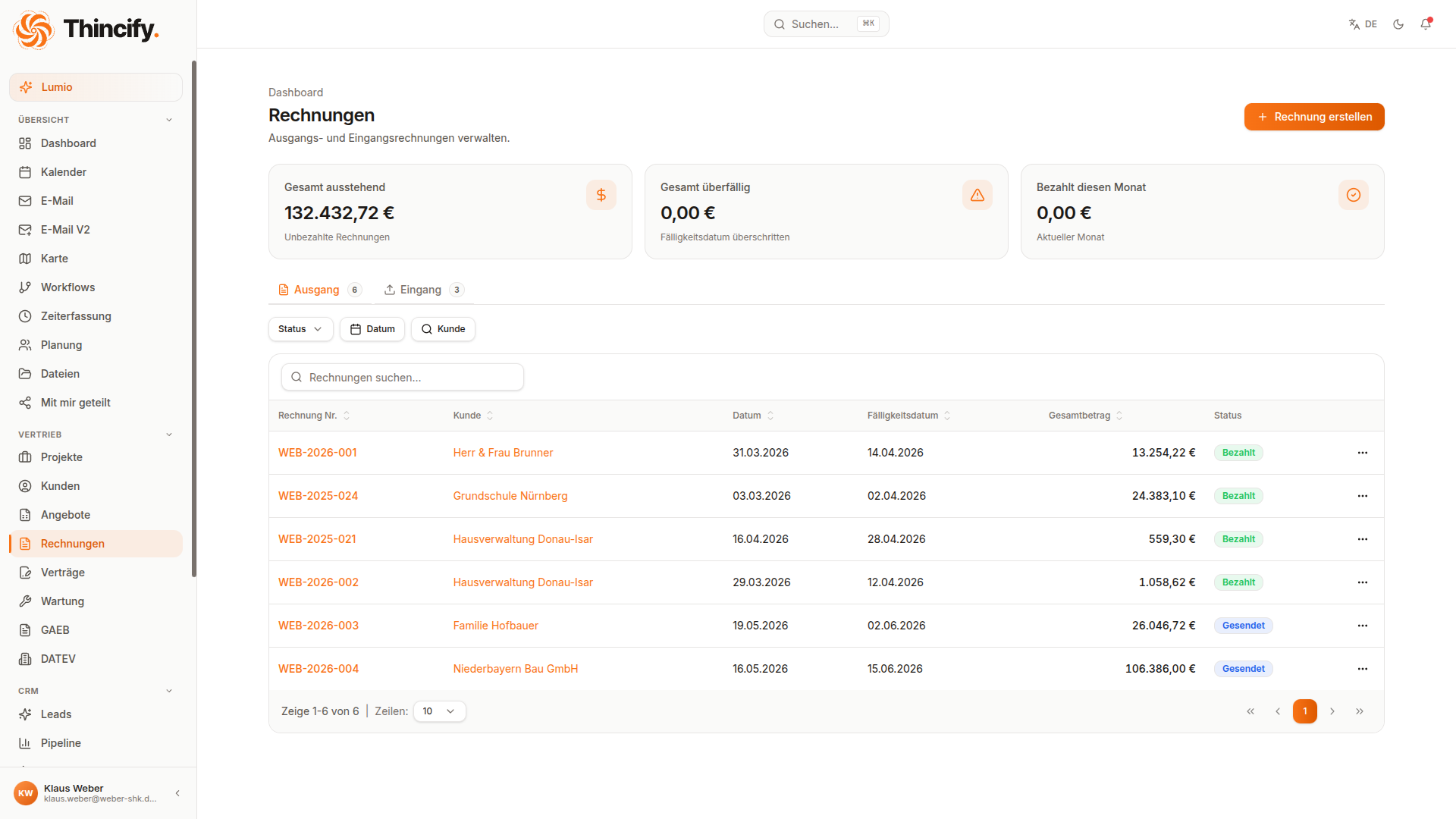
Lumio schreibt Rechnungen
Sag Lumio, welches Projekt abgeschlossen ist – er erstellt die Rechnung automatisch aus Projektdaten, Zeiteinträgen und Materialien.
Lumio erstellt Angebote
Diktiere ein Angebot per Sprache oder lass Lumio es aus einer Kundenanfrage generieren. Produktbibliothek, Live-Status-Tracking.
Lumio liest deine E-Mails
Lumio analysiert eingehende E-Mails, ordnet sie Projekten zu und extrahiert Aufgaben automatisch. Nie wieder Infos im Postfach verlieren.
Lumio verwaltet Projekte
Lumio legt Projekte an, trackt Fortschritt und benachrichtigt dein Team automatisch. Alle Dokumente direkt am Projekt.
Lumio findet alles
Frag Lumio – er durchsucht Kunden, Projekte, Dokumente und E-Mails semantisch. Perfekt wenn ein Kunde anruft.
Lumio organisiert Dokumente
Baustellenfotos, Lieferscheine, Pläne – Lumio ordnet alles automatisch dem richtigen Projekt zu und erkennt Inhalte per OCR.
Lumio automatisiert Workflows
Definiere Regeln und Lumio führt sie aus – Status-Updates, Benachrichtigungen, Follow-ups. Alles automatisch.
Lumio hört dir zu
Auf der Baustelle per Sprache, im Büro per Chat. Lumio versteht dich und führt Aktionen direkt aus – kein Tippen nötig.
Die ganze Plattform – zum Anfassen.
Aufmaß, CRM, Plantafel und mehr: Das sind die Module, die Thincify über einen reinen KI-Assistenten hinausheben. Lumio bedient sie für dich – oder du selbst.
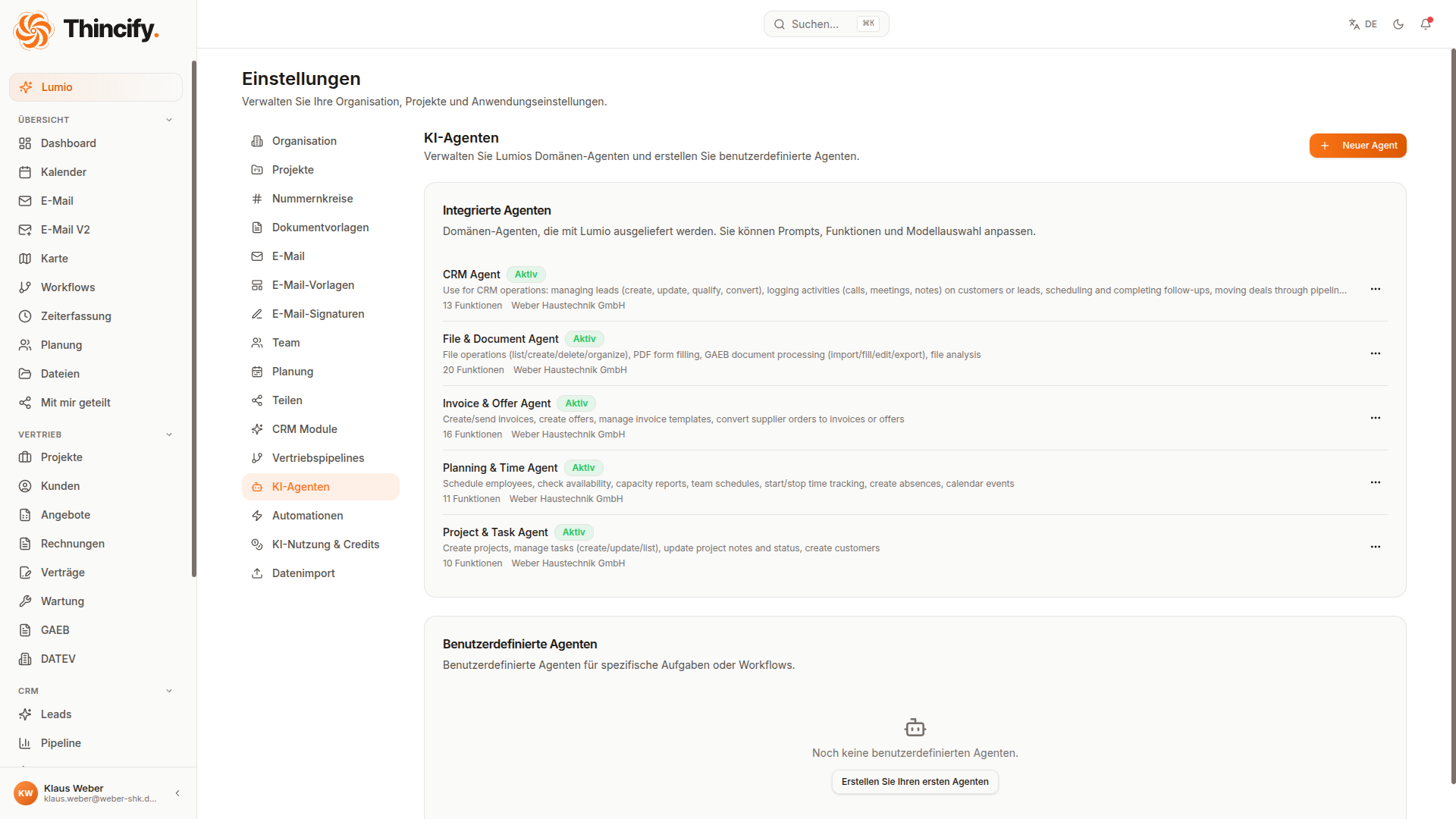
Eigene KI-Agenten
Thincify bringt fertige Agenten mit – für CRM, Angebote, Projekte, Planung und mehr. Nutze sie direkt oder bau dir eigene mit genau den Fähigkeiten, die du brauchst.
- Fertige Agenten inklusive (CRM, Angebote, Projekte …)
- Eigene Agenten mit Skillset zusammenstellen
- Arbeiten automatisch im Hintergrund
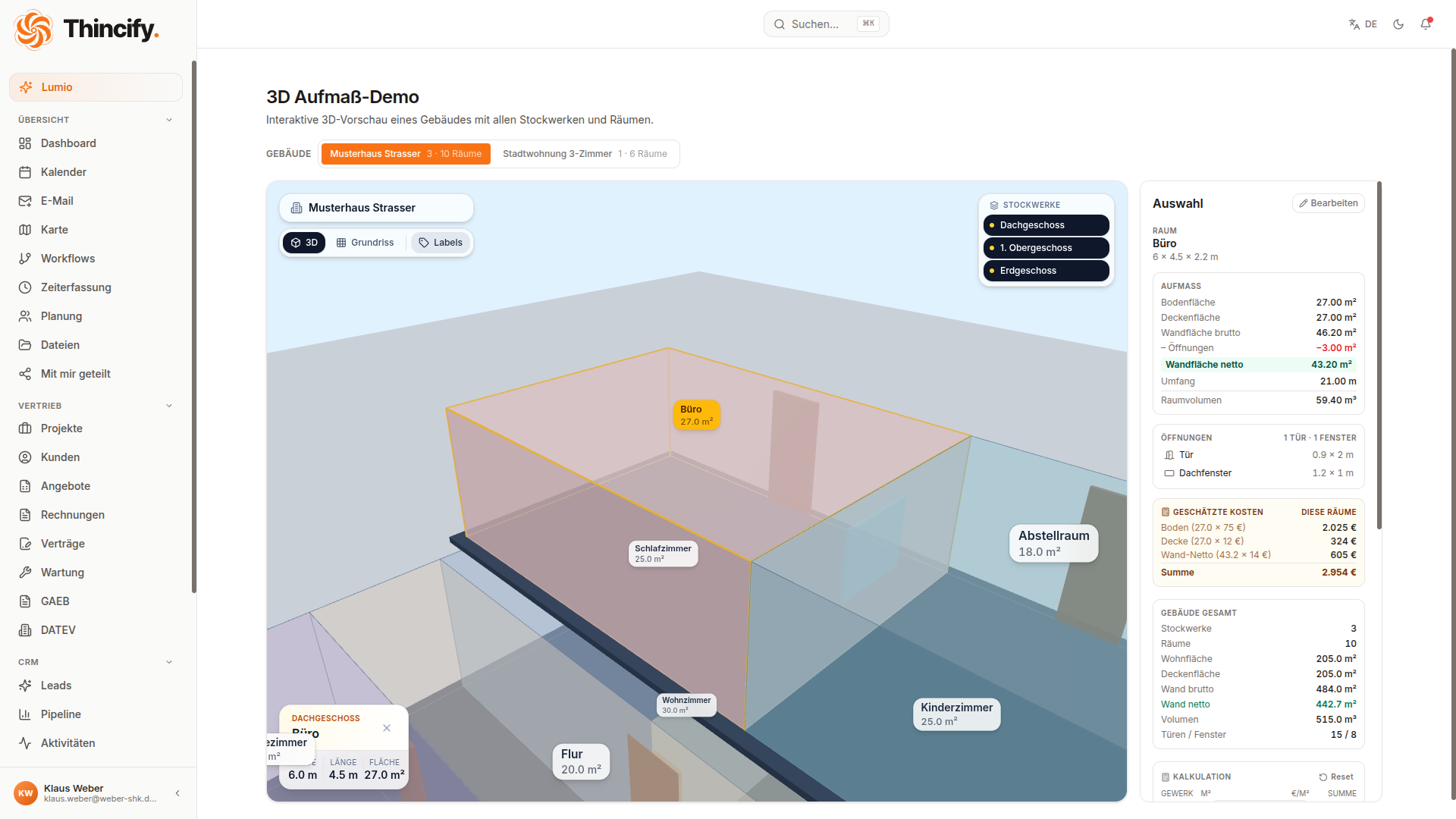
3D-Aufmaß & Kalkulation
Erfasse Räume in 3D – Böden, Wände, Decken und Öffnungen. Thincify rechnet Flächen, Volumen und Kosten automatisch und macht daraus dein Angebot.
- Räume in 3D mit Türen & Fenstern
- Wand-Netto, Volumen & Umfang automatisch
- €/m²-Kalkulation je Gewerk in Echtzeit
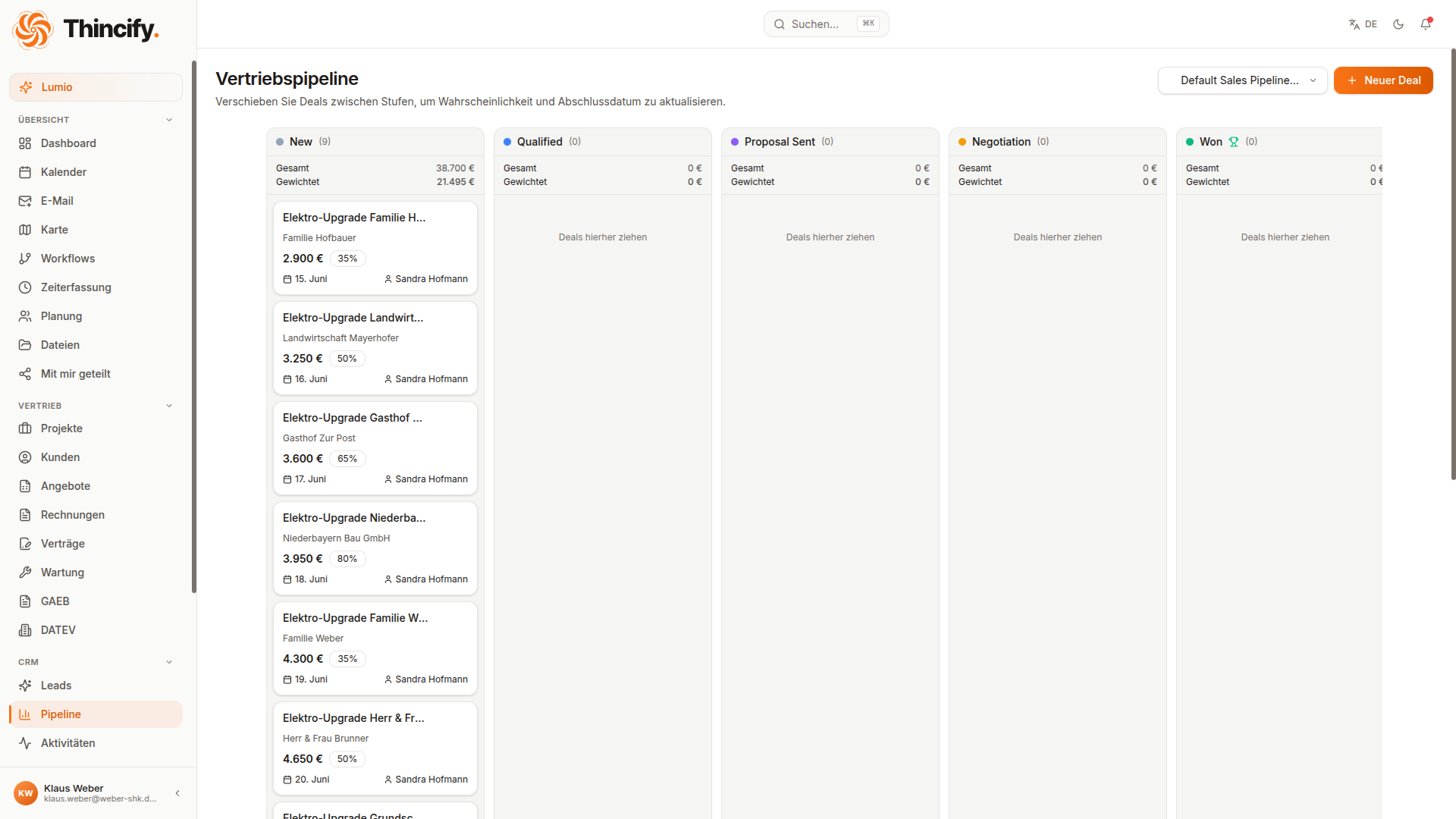
CRM & Vertriebs-Pipeline
Vom ersten Lead bis zum gewonnenen Auftrag: Anfragen erfassen, Deals durch die Phasen ziehen und nichts mehr vergessen.
- Leads aus E-Mail, Web oder manuell
- Deals per Drag-&-Drop durch die Phasen
- Follow-ups & Auswertungen inklusive
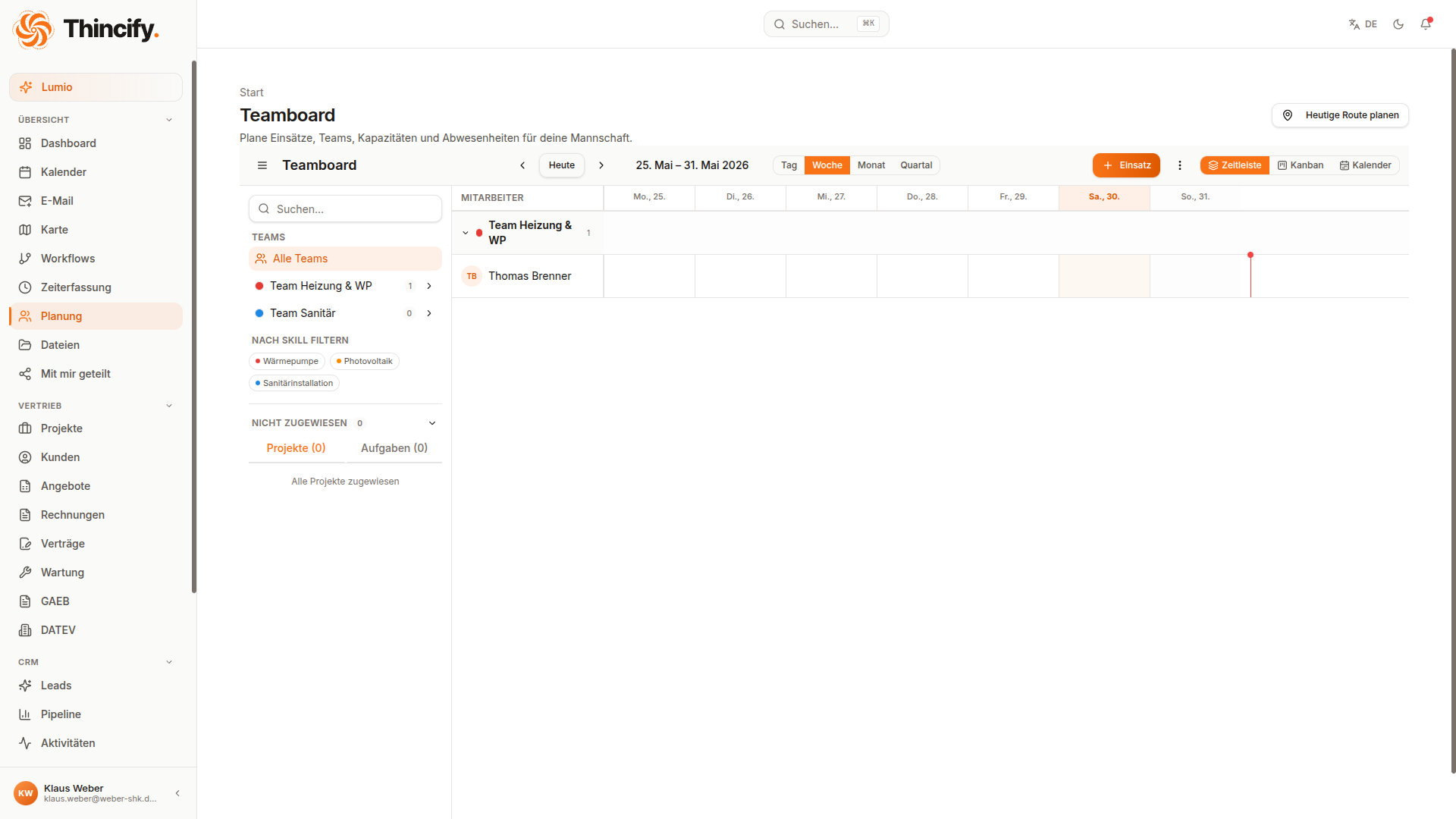
Plantafel & Einsatzplanung
Wer ist wann auf welcher Baustelle? Plane Mitarbeiter und Teams visuell über Tage und Projekte – mit Blick auf die Kapazitäten.
- Teams auf Tage & Projekte planen
- Kapazität & Auslastung im Blick
- Mehrere Einsätze in einem Rutsch umplanen
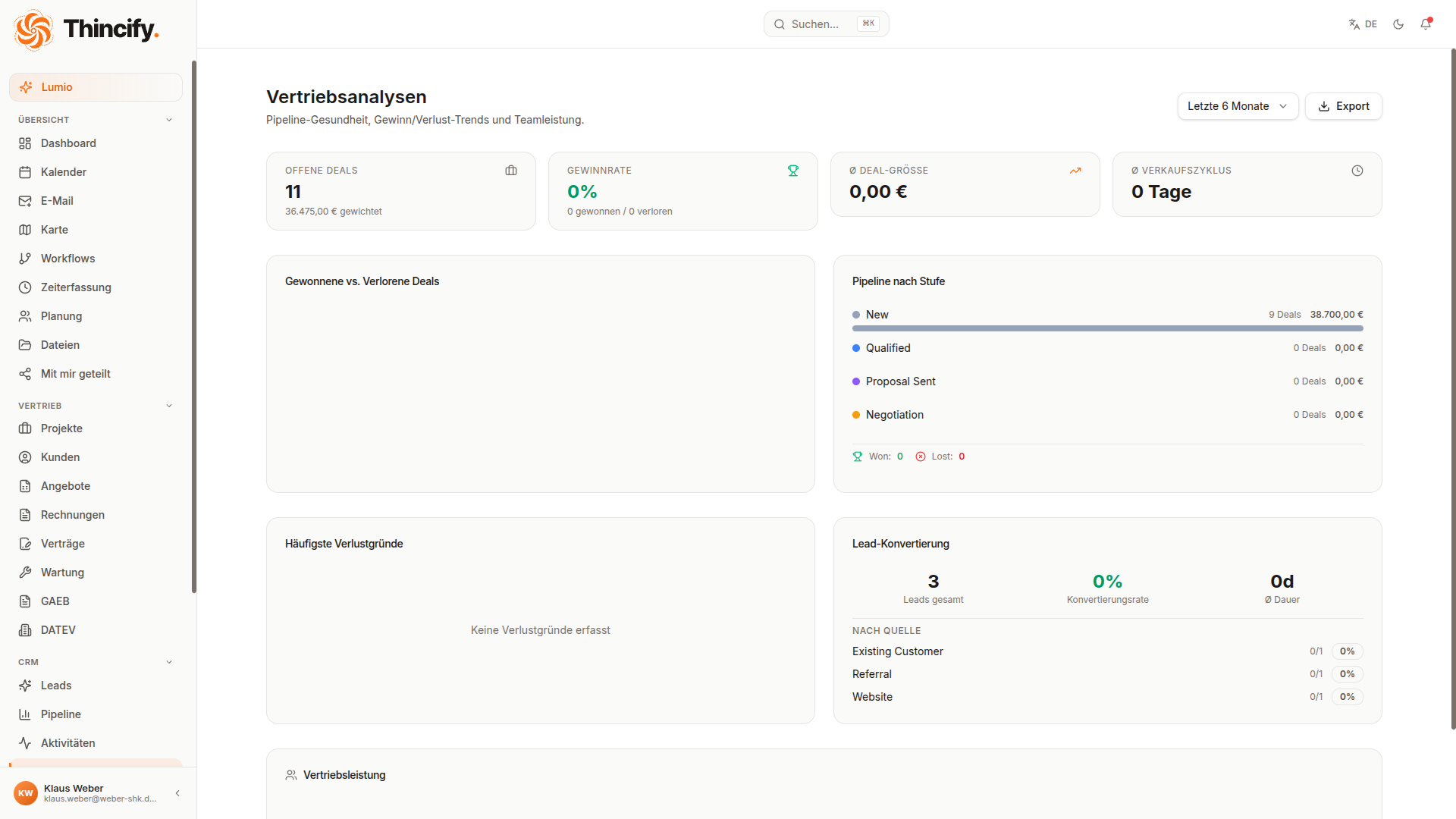
Auswertungen & Dashboard
Der Zustand deines Betriebs auf einen Blick: Umsatz, offene Angebote, Pipeline-Wert und Lumio-Aktivität – live.
- Umsatz, Conversion & Pipeline-Wert
- KPIs nach Zeitraum & Quelle
- Per Lumio abfragbar
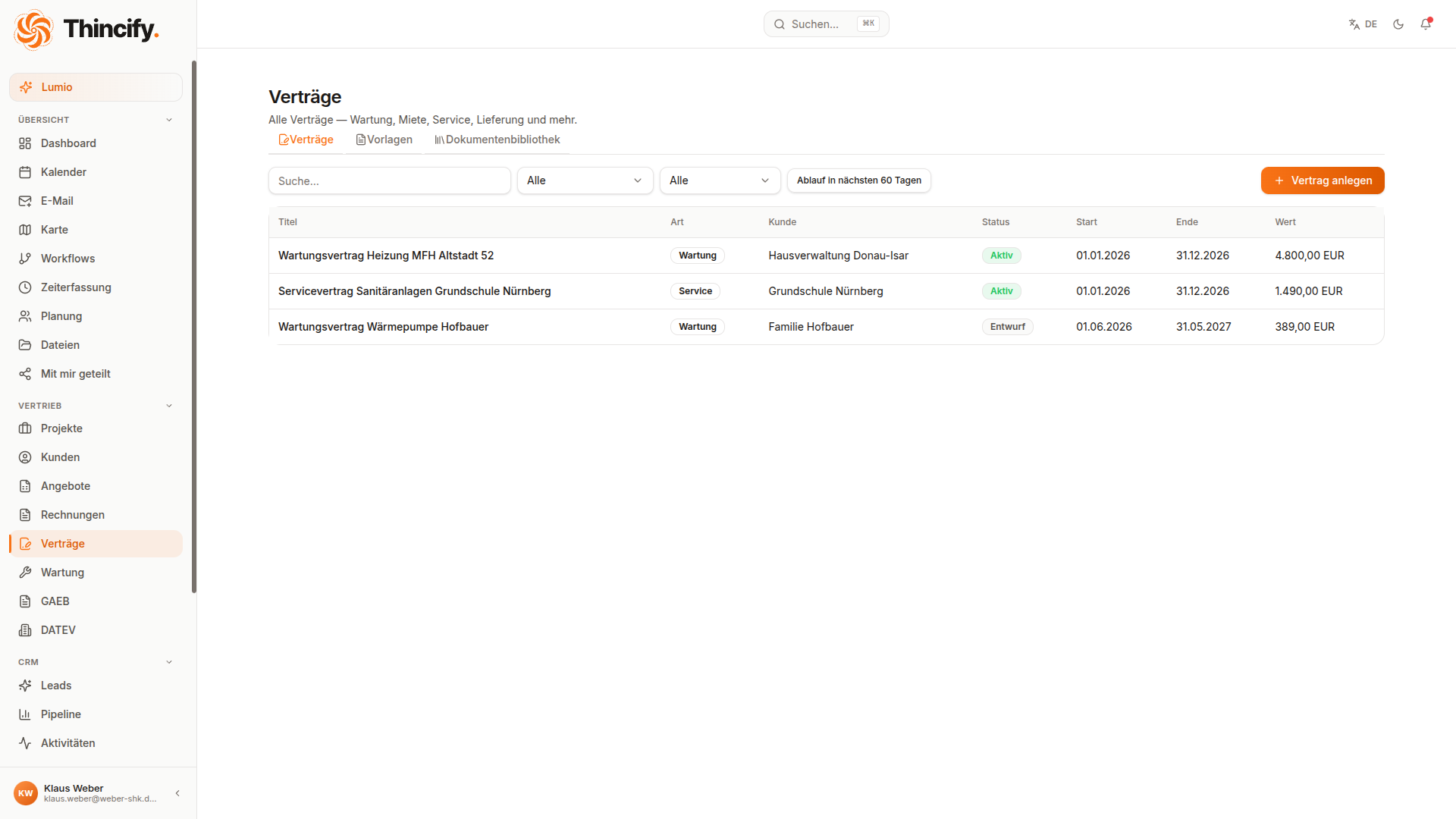
Wartung & Verträge
Wiederkehrende Einsätze und Wartungsverträge laufen automatisch: Serientermine, Erinnerungen und Abrechnung je Anlage.
- Wartungsobjekte mit Intervallen
- Serientermine & automatische Erinnerung
- Service-Historie & Abrechnung je Anlage
Was spart dir Thincify konkret?
Schieb die Regler auf deinen Betrieb – und sieh, was du pro Jahr sparen würdest. Wir zeigen dir jeden Rechenschritt.
Wie viele Personen arbeiten mit Bürokram (Rechnungen, Angebote, E-Mails)?
Zeit pro Mitarbeiter für Rechnungen, Angebote, E-Mails, Dokumentation.
Was kostet eine Bürostunde deines Betriebs? (Lohn + Nebenkosten)
Wichtig: Lumio arbeitet nicht vollautomatisch. Er bereitet Rechnungen, Angebote und Antworten vor – dein Team prüft und bestätigt kurz, bevor etwas rausgeht. Die Berechnung rechnet bewusst nur mit 50 % echter Zeitersparnis.
Netto-Ersparnis / Jahr
nach Abzug der Thincify-Kosten
So rechnen wir – Schritt für Schritt
- 15 Mitarbeiter × 6 h/Woche = 30 h Bürozeit pro Woche
- 2× 50 % von Lumio übernommen (nach Prüfzeit) = 15 h/Woche
- 3× 48 Arbeitswochen = 720 h pro Jahr
- 4× 60 € Stundensatz = 43.200 € Brutto-Ersparnis
- 5− 5.700 € Thincify-Kosten (Premium, jährlich) = 37.500 € Netto-Ersparnis
Annahmen: 48 Arbeitswochen pro Jahr, 50 % Automatisierungsquote (inkl. Prüfzeit). Thincify-Kosten: Premium-Plan, 199 € Grundgebühr + 69 € pro Nutzer und Monat, jährlich abgerechnet. Alle Werte sind Schätzungen.
Ein Hub für all deine Tools
E-Mail, KI und Dokumente – alles, was dein Handwerk braucht, läuft in einer einzigen Oberfläche zusammen.









E-Mail-Postfächer
Apple Mail, Outlook oder Gmail direkt in Thincify. Nachrichten landen beim richtigen Auftrag – ohne hin- und herzuspringen.
KI-Assistenten
Sprich oder schreib mit Lumio. Je nach Aufgabe wählst du das passende Modell – Lumio kümmert sich um den Rest.
Dokumente & Dateien
PDFs, Excel-Tabellen, Fotos und Skizzen. Automatisch dem richtigen Auftrag oder Kunden zugeordnet.
In Minuten startklar. Lumio macht den Rest.
Kein aufwendiges Setup. Kein Schulungsmarathon. Einfach loslegen.

Anmelden & Daten importieren
Erstelle dein Konto in 2 Minuten. Lumio importiert deine bestehenden Kunden und Projekte.

Lumio kennenlernen
Stell Lumio deine erste Frage oder diktiere dein erstes Angebot. Lumio lernt sofort.

Lumio arbeitet für dich
Ab jetzt übernimmt Lumio E-Mails, Rechnungen und Verwaltung. Du arbeitest, Lumio erledigt den Rest.
